
Product box designer - how to add to your template
Learn how to add your newly designed product boxes to your store design.
How to add
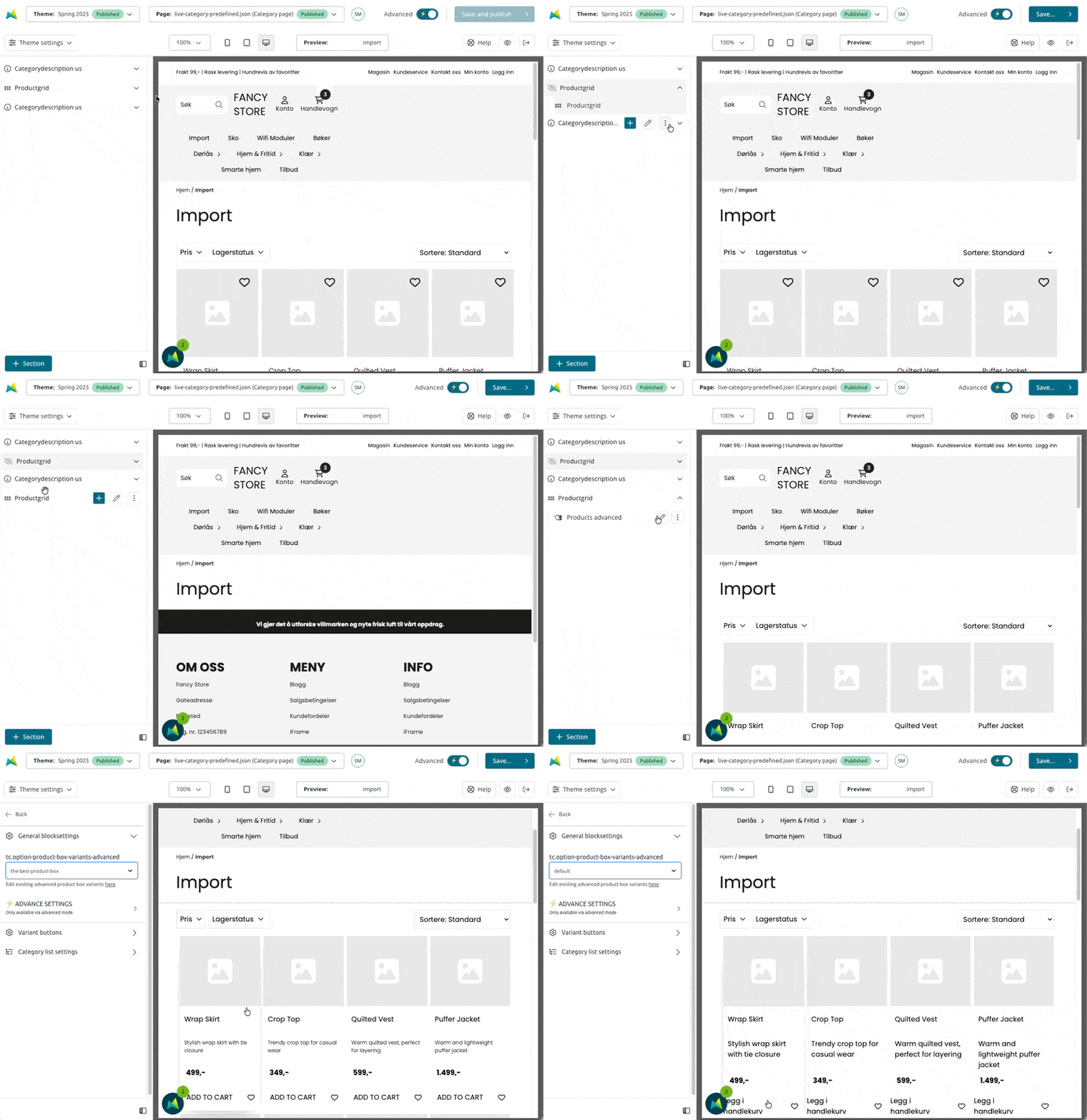
After completing the design in the designer tool, you need to add the product boxes to the template configurator. This is done by adding a new Productgrid-section, with a dedicated block called Products advanced. We recommend hiding the current productgrid since it will be easy to re-use it later if you need.
In the Template Configurator, navigate to the Category page, hide the default Productgrid section, and add a new Productsgrid, and add the block Products advanced.
Important
Remember to hide the standard Productgrid-block before publishing.