Generate shopping cart link
This article explains how you can pre-fill a shopping cart and generate a link to it.
Before you start
To generate a cart link, you must be logged in as an administrator in the control panel.
When the customer opens the link, the selected products will automatically be added to their cart.
This can be useful if you want to:
- Send a customer directly to a pre-filled cart
- Simplify the ordering process
- Share a product bundle or recommended products
1. Add products to the cart
- Open the storefront (frontend) of your store
- Make sure you are logged in as an administrator
- Add the products you want to include in the cart
The cart will now contain the products that will be included in the link.
2. Generate the cart link
- Click the administrator bubble / Mystore logo in the bottom left corner
- Select Generate cart link
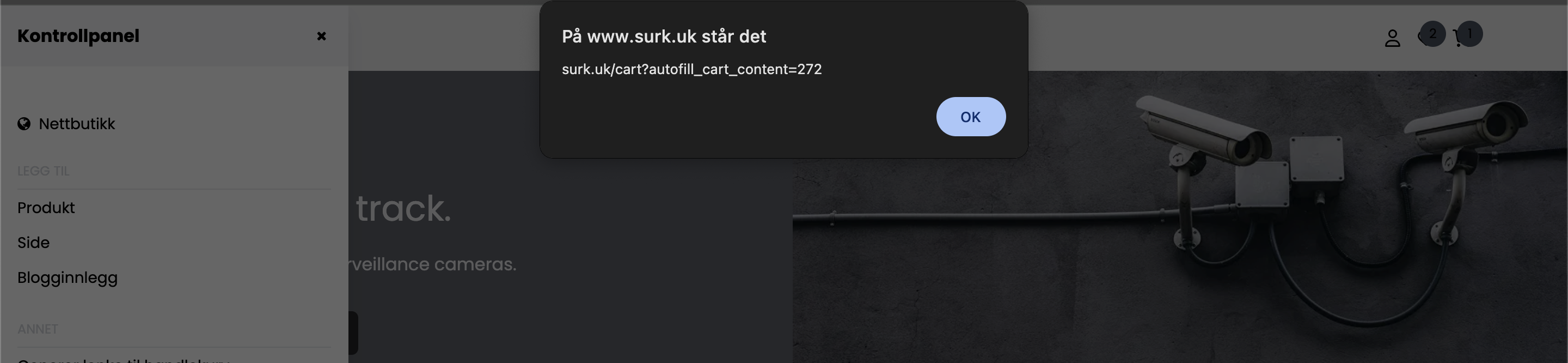
- A popup window will appear with a unique link
- Copy the link
3. Share the link with the customer
Send the link to the customer.
When the customer opens the link:
- The online store will open
- The selected products will already be in the cart
The customer can then proceed directly to checkout.