
Cart add-ons
This can be useful around Christmas, for example, if you want to add “gift wrapping” as an option.
Defining add-on products
After the extension has been installed you define add-on products using the following steps:
- Open the product you wish to have as an add-on
- Open the "Tags" tab
- Find and toggle on the tag for add-on
All products with this tag active will show as an add-on on product pages and cart.
Product page
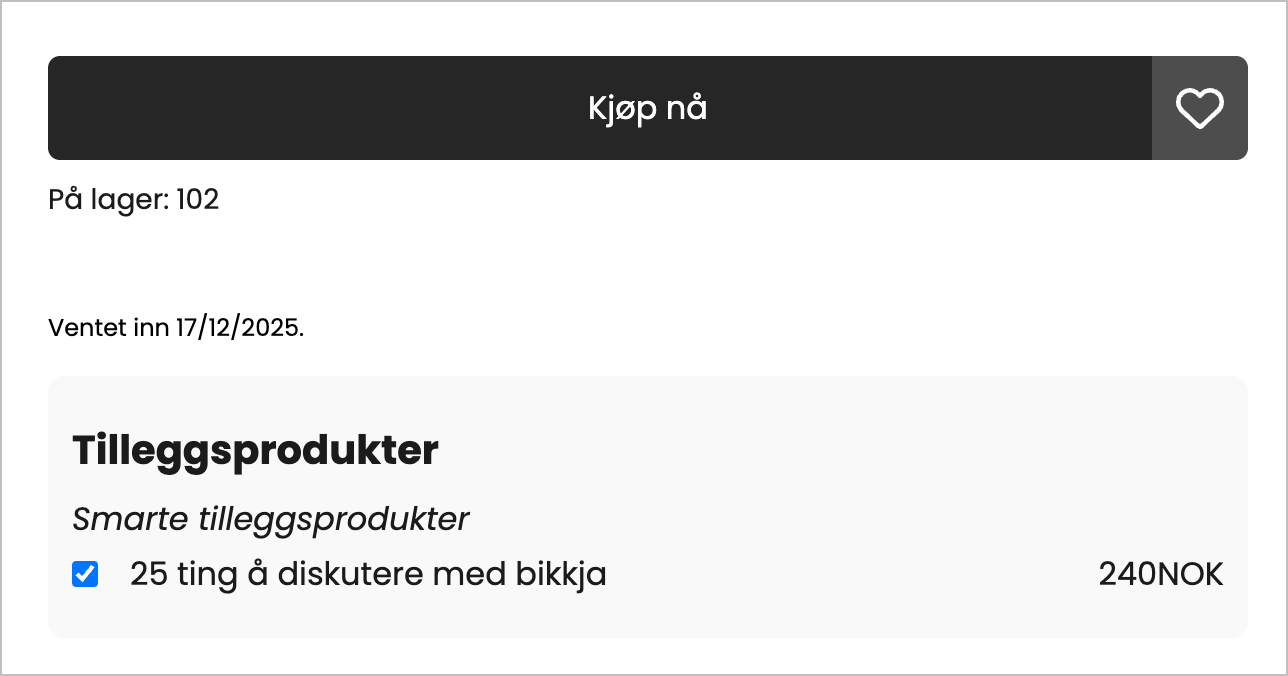
A block is added to the product page to display all add-on products. You can change the font size, color, etc.
The selected additional product is automatically added to the shopping cart when you add the main product to the shopping cart.
This means that the additional product must be selected before you purchase the main product.
Shopping cart
Additional products can also be displayed in the shopping cart if desired.
There, you can choose to display the products either below the total or below the items in the shopping cart.
If a customer chooses to add products from the shopping cart, they will only be displayed when you proceed to checkout. This means that the total in the shopping cart is not updated if you add additional products to the shopping cart itself.