
Block: Cart Add-on
With “Cart add-on” you can select one or more products to be displayed as additional products on product pages and in the shopping cart.
This can be perfect for those who want to offer accessories, gift wrapping, etc.
Product page
To add a block that displays additional products on the product page, follow the steps below:
- Open the design builder and go to the product page template
- Add the “Additional Products” block in the “Product Purchase” section
- Once the block has been added, it can be customized
In the block, you can change the background color, text color, padding, margin, etc.
You are also free to enter a title and description as you wish.
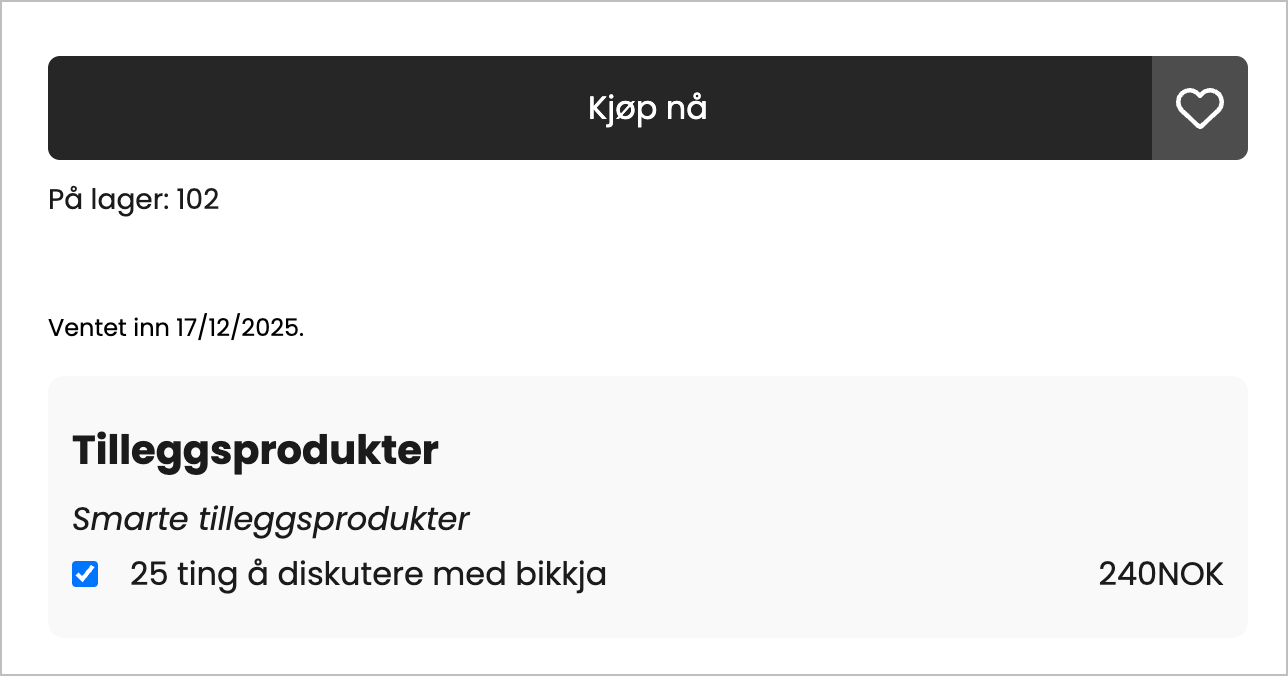
Add to cart
In order for an additional product to be added to the shopping cart, it must first be selected, then the customer must add the main product to the shopping cart.
Shopping cart
To display additional products in the shopping cart, it is not necessary to add a separate block.
Settings for additional products can be found by editing the “Shopping cart” block.
Here you will find all settings for “Additional products” grouped together.
By activating additional products in the group, you will have access to settings such as placement, color selection, overlay, and description.
Additional products can be placed either below the summary in the shopping cart or below the contents of the shopping cart.
Important info
If a customer selects an additional product from the shopping cart, the total in the shopping cart will not be updated. The new total, including the additional product, will only be displayed at checkout.