
Google Ads – Enhanced conversions
Enhanced conversions is a feature in Google Ads that improves the accuracy of conversion measurement by utilizing first-party data from your online store, such as email addresses from completed purchases.
How to enable enhanced conversions in the Control Panel
- Log in to the Control Panel and go to "Configuration" - then click on Google.
- Find Google Ads conversion tracking and click on it.
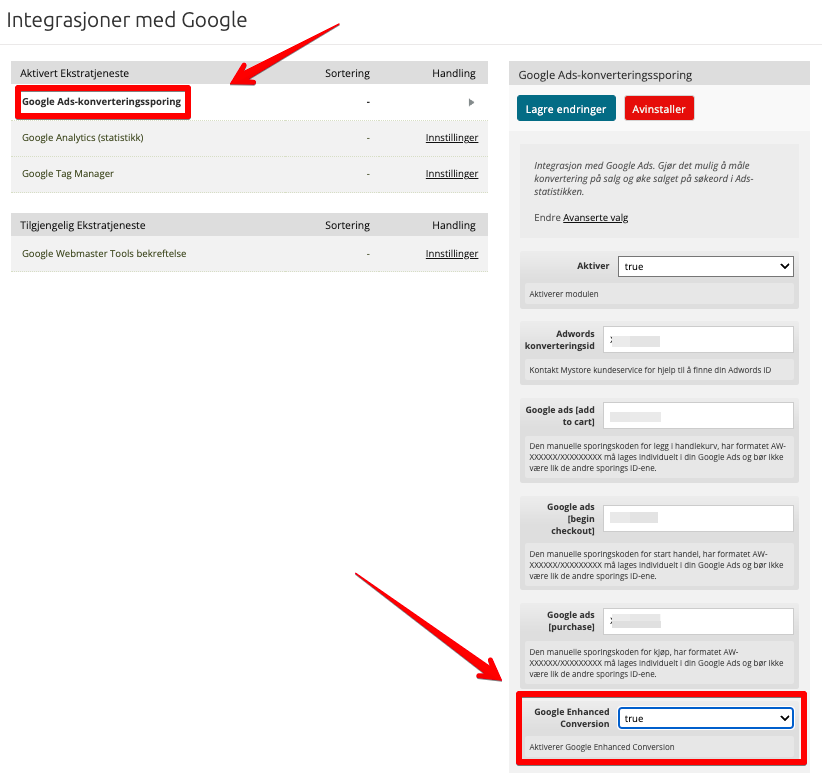
- Set Google Enhanced Conversions to True.
- Click Save.
What happens after activation?
Acendy will now send encrypted first-party data to Google Ads in connection with conversions, which contributes to more precise measurement of your ad campaigns.