
Google Ads Tag – Conversion Tracking
Conversion tracking in Google Ads allows you to measure what actions your customers perform after clicking on an ad, such as completed purchases. This gives you insight into which ads drive actual results.
How to connect conversion tracking to Acendy
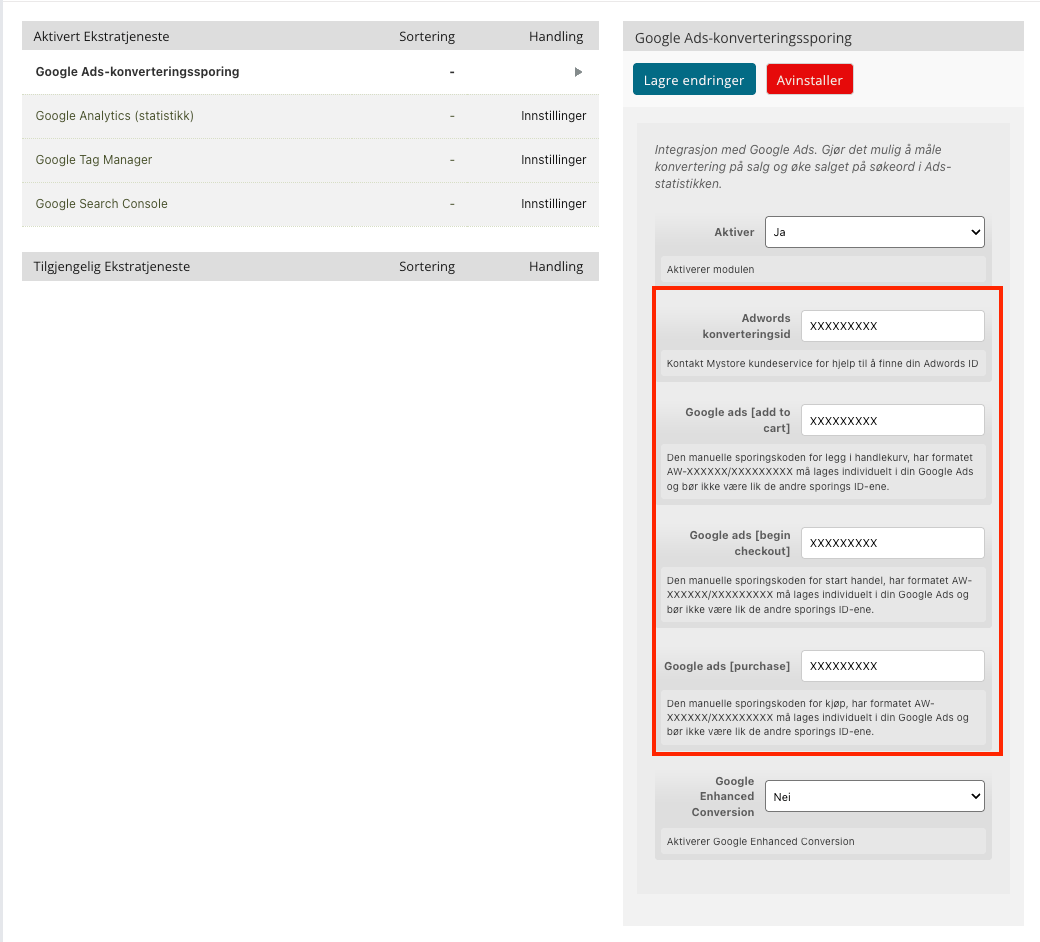
- Retrieve your Google Ads tag from Google Ads. The tag typically looks like this: AW-XXXXXX or AW-XXXXXX/XXXXXXXXX
- Log in to the control panel and go to "Configuration", then click on Google.
- Find Google Ads conversion tracking and click on it.
- Paste the Google Ads tag(s) into the correct field.
- Click save.
What happens after connection?
Acendy will now send conversion data to Google Ads every time a customer completes the selected action in your online store.
See Google's documentation for conversion IDs here:
https://support.google.com/tagmanager/answer/6105160?hl=no&sjid=7917715355980167471-EU